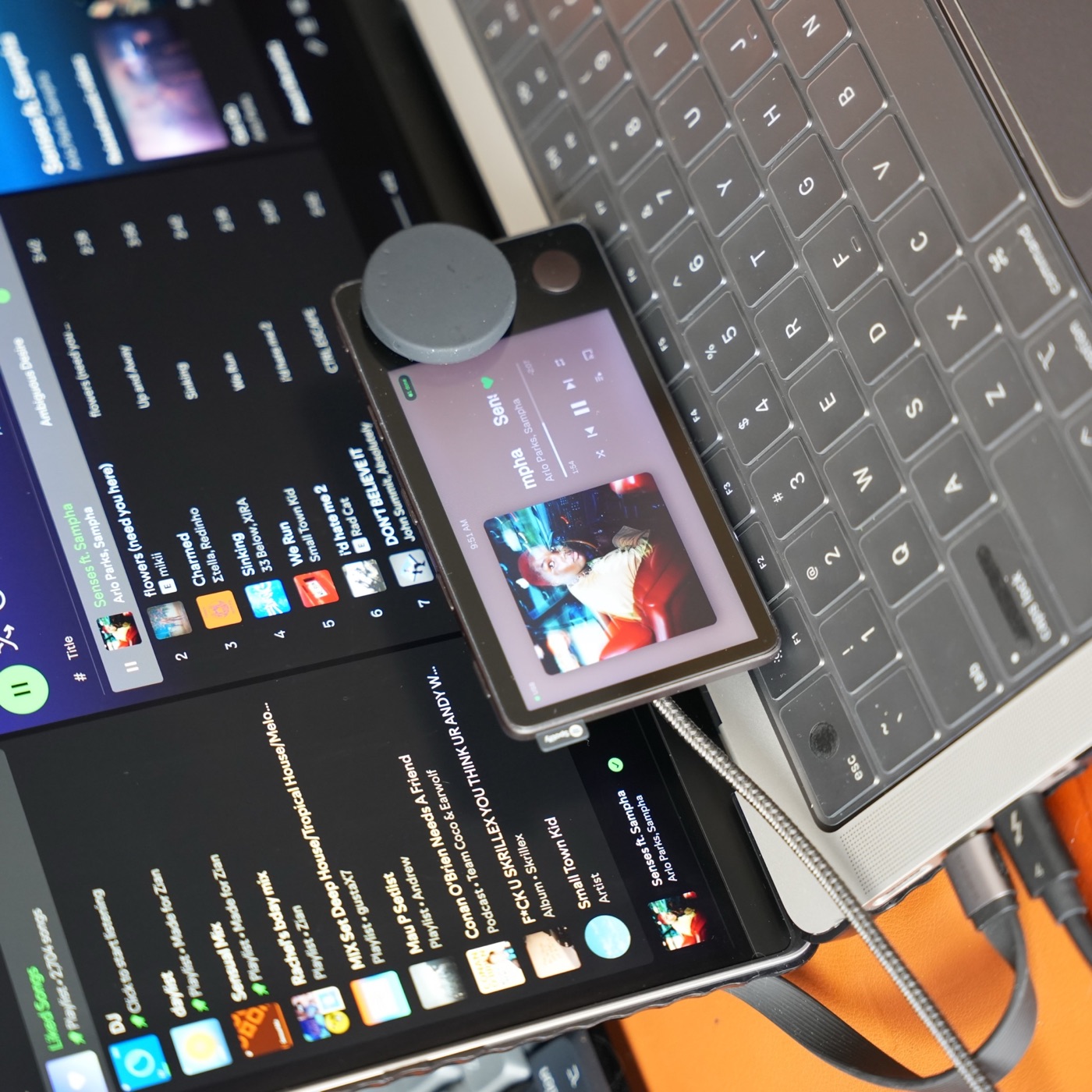
These workflows describe Carthios on Mac today: you need an Apple Silicon Mac running macOS 13 or newer and a USB data cable for first setup. Windows support is coming on the v3 roadmap; join the waitlist for updates. Windows availability and feature support have not been announced. Carthios repurposes the hardware; it does not restore Spotify’s discontinued service.
Looking for a firmware hack instead? Read how to jailbreak Spotify Car Thing using the iFixit route, or use the decision guide to choose a reuse path.
1. Keep music controls within reach
Open Now Playing with Preset 1. Carthios uses the Spotify Mac app or Apple Music for playback information and controls; you can switch the music source from the Mac menu. The dial changes volume, while the screen provides playback controls.
Start with the desktop app already signed in. Optional advanced Spotify authorization adds account features such as playlists and queue where Spotify supports them. It is separate from the basic desktop-player setup. See the music feature guide for the distinction.
2. Give a focus timer its own screen
Press Preset 2 to open Pomodoro. The timer uses a deadline so you can navigate to another Carthios page without restarting the countdown. Use Clock between sessions when you want a quiet display.
This is useful when a timer is easy to lose behind windows. Place the device within sight, and use the sleep and brightness settings if the screen distracts you after work.
3. Check Calendar and Reminders together
Hold Preset 2 to open Agenda. Carthios can show upcoming Calendar events with their calendar colors and overdue or due-today reminders. Calendar and Reminders permissions are separate: granting one does not grant the other.
If half the view is empty, check Agenda permissions before reconnecting the device. Enable the sources you actually want on a shared or visible desk.
4. Check departures and weather before leaving
Press Preset 4 for nearby Transit; hold it for Weather. Use the displayed refresh time when judging whether a departure is still useful. Transit coverage depends on the supported agency, and some bus sources require a free API key.
Weather uses the Mac’s coarse location. Configure location and integrations in Carthios rather than assuming the device has its own independent data connection.
5. Keep Mac and coding status off the main display
Hold the top-right button for Mac and Car Thing system status, including Mac CPU, memory, disk and battery, plus device temperature and uptime. Preset 3 opens the selected Claude Code or Codex monitor.
The monitor reports supported sessions and usage information from the connected Mac. Use it for a glance at progress, then return to the original app when you need full context.
Know the connection limits
USB remains necessary for initial setup, updates, screenshots, recovery, and Car Thing microphone dictation. Bluetooth Beta supports a subset of daily use after setup. Keep the connection table and control reference handy as you try each workflow.