Carthios guide · 2026
What Can You Do With Spotify Car Thing After Discontinuation?
Spotify’s Car Thing service is gone, but the small screen, dial, and buttons still make interesting hardware. Here are the realistic ways to revive, reuse, or repurpose one.
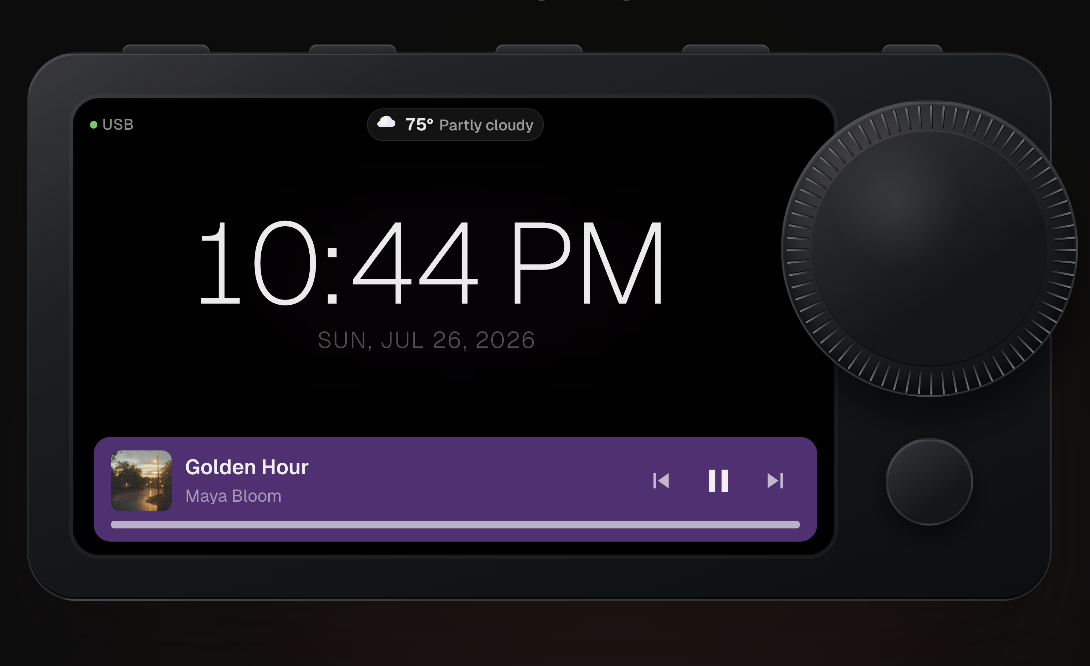
Short answer: the original Spotify experience cannot be restored through Spotify. Spotify announced that Car Thing would stop operating after December 9, 2024, and the service was subsequently disabled. TechCrunch reported the shutdown; Spotify’s original product description explains what the hardware was designed to do.
What “revive” means now
Reviving Car Thing does not have one universal recipe. It can mean replacing the device software, using the hardware as a client for another computer, or building a new interface around its screen and physical controls. The right choice depends on whether you want a standalone experiment, a project to tinker with, or a dependable desk tool.
Spotify Car Thing review: what still works?
The useful parts are still physical: a readable screen, a large dial, dedicated buttons, a speaker, and a compact enclosure. The original Spotify service is the part that ended. That distinction matters when evaluating a Spotify Car Thing hack or Car Thing mod: you are repurposing hardware, not bringing back the old cloud service.
Four legitimate paths for an old Car Thing
1. Community firmware
Firmware projects such as Mira and Nocturne explore standalone or tethered replacements for the original software. This route makes sense for technically comfortable owners who want to flash, recover, test, and maintain an unofficial build. The tradeoff is more setup risk and less predictable long-term support.
For a concrete firmware walkthrough, read how to jailbreak Spotify Car Thing using the iFixit route, including the separate Windows, Mac, and Linux flashing requirements.
2. USB and web-dashboard projects
Some projects use Car Thing as a small client for a web interface or a companion computer. A USB adapter or data-capable cable may be part of that setup, but an adapter alone cannot revive the service. This can recreate a focused music or control surface without pretending Spotify’s original backend is still available. It is flexible, but you own more of the setup and maintenance.
3. Hardware experiments
The screen, buttons, dial, speaker, and enclosure are also useful inputs for Raspberry Pi builds, custom dashboards, and other maker projects. Hardware work is the most open-ended option—and the one most likely to require soldering, custom mounts, or new software.
4. A Mac-connected dashboard
If you own an Apple Silicon Mac and want the original device to become useful at your desk, a software layer can be the most direct path. You keep the tactile hardware while your Mac handles the integrations.
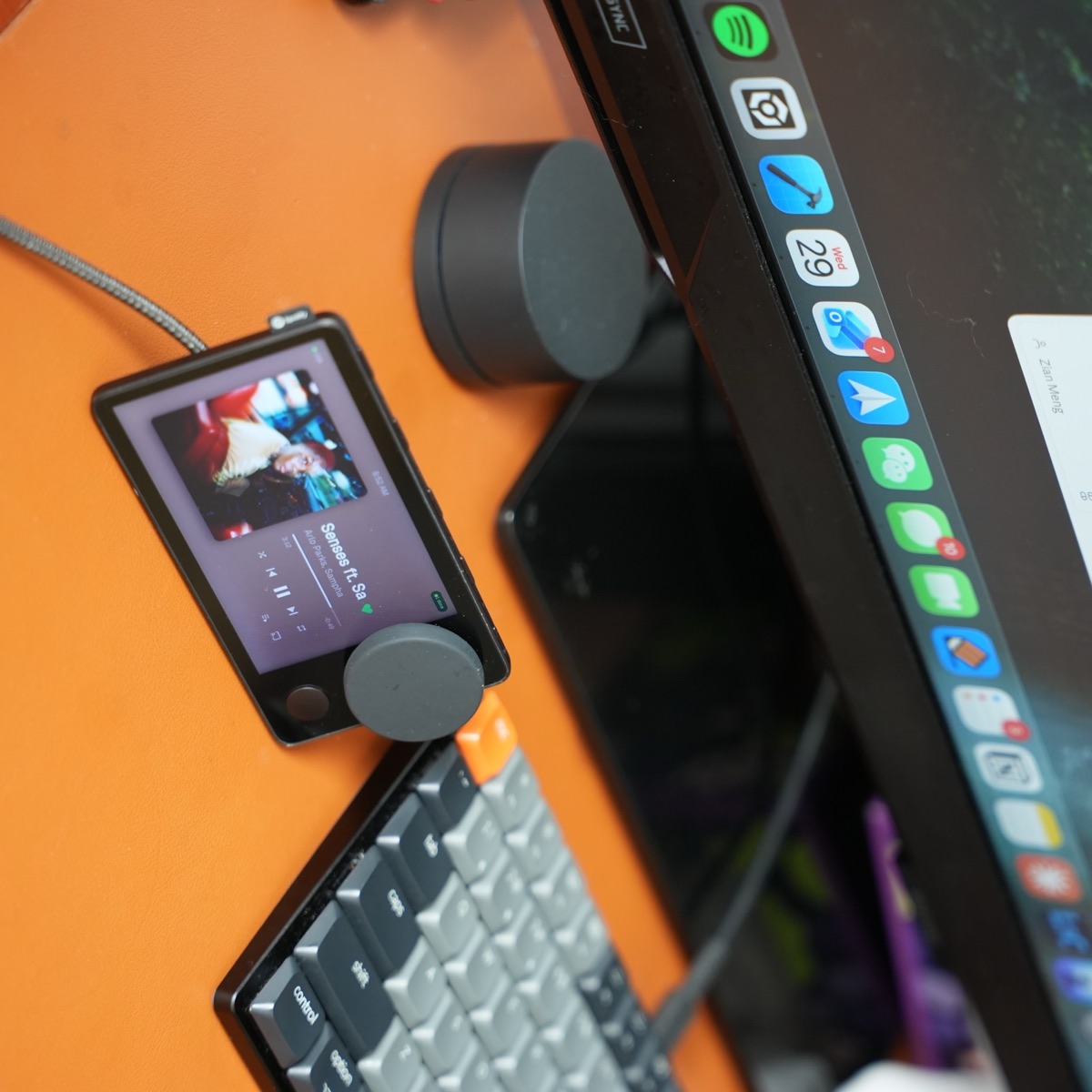
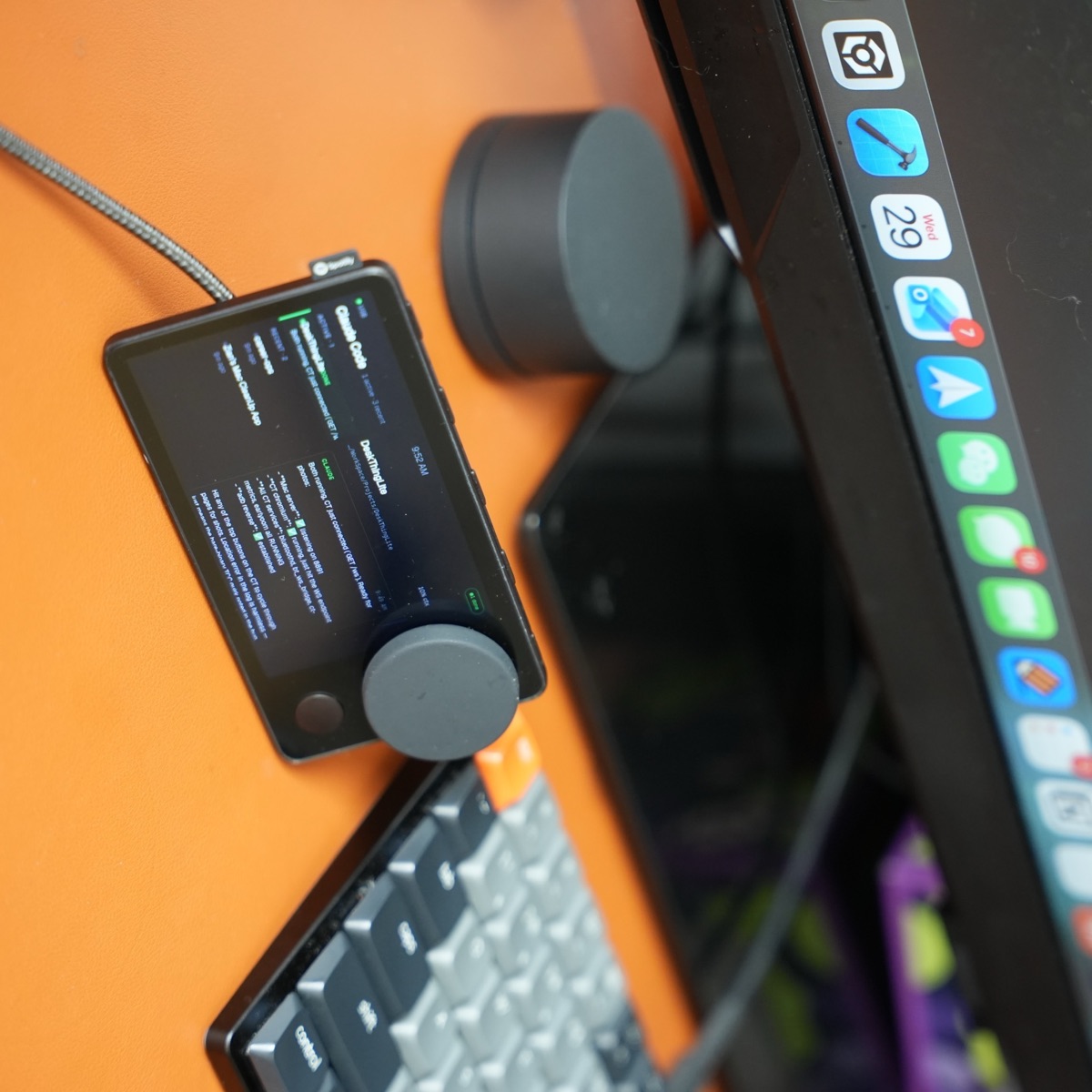
Turn Car Thing Into a Mac Dashboard With Carthios
Carthios is a project by Zian Meng that repurposes Spotify Car Thing as a tactile macOS desk dashboard. It does not restore the old Spotify Car Thing service. Instead, it gives the device a new job alongside your Mac.
Depending on the current release, Carthios can provide Spotify or Apple Music controls, local weather, live transit departures, private on-Mac dictation, Calendar and Reminders agenda views, timers, Mac system health, Car Thing status, Claude Code or Codex session status, and USB/Bluetooth connectivity. The original screen, dial, and buttons remain part of the interaction.
That makes Carthios for Spotify Car Thing a particularly complete option for someone who wants a desktop device rather than a firmware-only music experiment. It is not automatically the right answer for everyone: firmware may make more sense if standalone operation is your priority, while a new controller may make more sense if you want new hardware and a warranty.
For the exact controls, permissions, connection behavior, and supported integrations, see the Carthios documentation. You can also compare the Spotify Car Thing desk setup guide and custom firmware versus Carthios before choosing a path.
Windows support is coming. Carthios is available for Mac today, with Windows on the v3 roadmap. Join the Windows waitlist for beta news. There is no Windows download or release date yet, and the Mac feature list above does not guarantee Windows feature parity.
Who should choose which approach?
- Choose community firmware if you enjoy reverse engineering and want to experiment with standalone playback.
- Choose a DIY dashboard if you want to build the enclosure, interface, and integrations yourself.
- Choose Carthios if you already own Car Thing, use an Apple Silicon Mac, and want music plus everyday desk information in one tactile device.
- Choose a new controller if you want current vendor support more than you want to preserve the old hardware.
What you need before starting with Carthios
- A Spotify Car Thing.
- An Apple Silicon Mac running macOS 13 Ventura or newer.
- A data-capable USB-C cable for setup.
- Spotify Desktop or Apple Music signed in if you want music controls.
Frequently asked questions
Can Spotify Car Thing still be used after Spotify discontinued it?
The original Spotify Car Thing service was discontinued and the devices were disabled after December 9, 2024. The hardware can still be repurposed through community software, DIY projects, or a Mac-connected dashboard such as Carthios.
Can you hack or repurpose Spotify Car Thing?
Yes. Community projects have explored custom firmware, recovery tools, web dashboards, Raspberry Pi builds, and other hardware uses. These projects vary in support, risk, and technical difficulty.
Can you jailbreak Spotify Car Thing?
People often use “jailbreak” to describe replacing or bypassing the original software. Community firmware and recovery projects may offer that kind of experiment, but they are unofficial, can require technical recovery steps, and do not restore Spotify’s service.
What is the best way to reuse Car Thing with a Mac?
For someone with an Apple Silicon Mac who wants a dependable desk device, Carthios is a practical route: install the Mac app, connect Car Thing with a data-capable USB cable, and use its screen, dial, and buttons as a dashboard.
What is Carthios?
Carthios is a project by Zian Meng that repurposes Spotify Car Thing as a tactile desk dashboard for a Mac. It adds everyday views and controls while keeping the original device hardware useful.
Does Carthios restore the original Spotify Car Thing?
No. Carthios does not restore Spotify’s discontinued service. It gives the hardware a new role as a connected dashboard for music and other Mac features.
What hardware do I need for Carthios?
You need a Spotify Car Thing, an Apple Silicon Mac running macOS 13 Ventura or newer, and a data-capable USB-C cable for setup.
Does Carthios work with Spotify?
Yes. Carthios supports Spotify playback controls and optional account features such as likes, queue, playlists, and Spotify Connect where Spotify supports them.
Does Carthios work with Apple Music?
Yes. Current Carthios releases can switch directly between Spotify and Apple Music from the Mac menu.
More Car Thing guides
Explore the project
See what your Car Thing can become.
Read the full Carthios product page, capabilities, requirements, and setup path.
Carthios for Spotify Car Thing